Import Roster
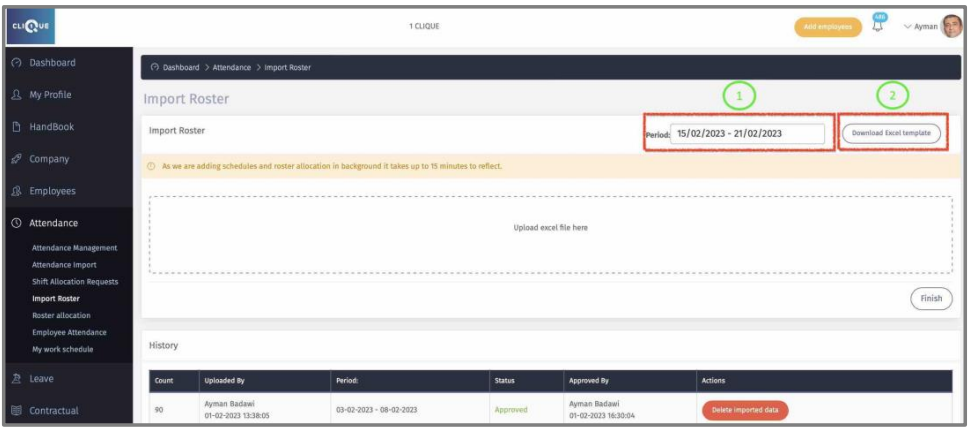
Here you can upload employee roster for a specific period.
1 – Select the Period. (The star date must be in the future).
2 – Download the Excel template file.
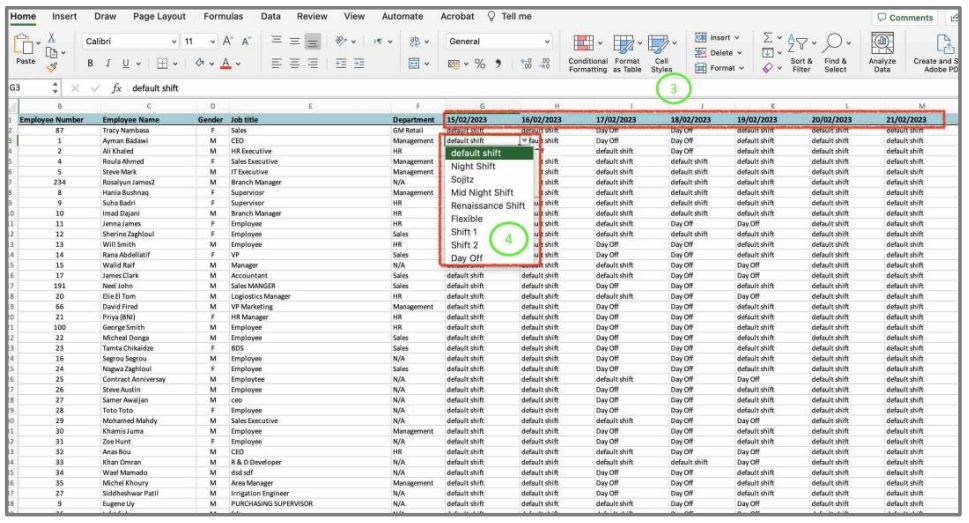
3– Every day from the selected period will be displayed in a column.
4 – Select a company shift from the dropdown list. “Day Off” is considered a weekend.
DO NOT do the following:
o If employee will be on vacation, do not select “Day Off”. Employee vacations will be handled from Leave module.
o Do not tamper with the excel sheets format & provided data.
o Do not copy & paste, just select the Shift from the dropdown list in every cell.
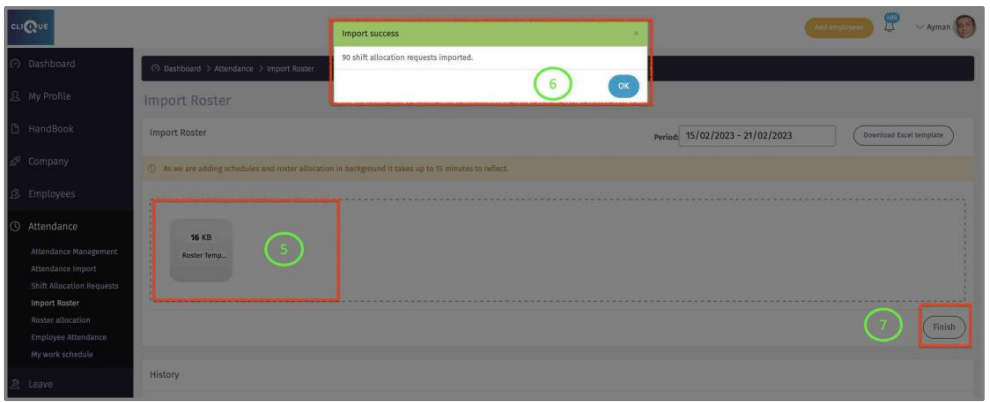
5 – Upload the Excel File.
7– Click “Finish” to complete the upload.
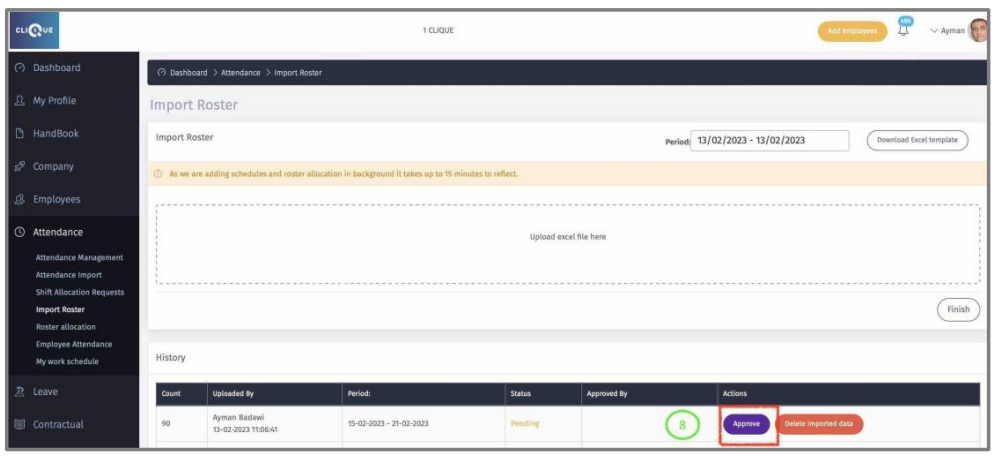
8– Click “Approve” to complete the process.